What Should a CRM for Wedding Photographers Actually Do?
A CRM for wedding photographers should reply while you shoot, hold the contract and the shot list, and keep couples calm through the gallery wait.
Published 12 min read
In short
A CRM for wedding photographers should do five jobs well: reply to inquiries while you are out shooting, turn a booking into a signed contract and a paid retainer without retyping, collect the shot list and family details before the day, keep the wedding day timeline in one shared place, and hold each gallery's due date and delivery links where the couple can stop worrying about it. If it does those, you spend the season shooting and editing, not chasing threads.
A CRM for wedding photographers should protect the two things your business runs on: the shoot and the edit. What should a CRM for wedding photographers actually do? It should answer an inquiry while you are standing in a field with a camera. It should hold the contract, the retainer, the shot list and the timeline in one place. And it should keep a couple calm during the long weeks their gallery is in your edit queue, without you stopping the edit to write updates. I have seen photographers lose bookings in the gap between those jobs, and none of them lost the booking over their photos.
Why do wedding photographers outgrow inboxes and spreadsheets?
Wedding photographers outgrow inboxes and spreadsheets because their work splits into two seasons that collide. There is the shooting season, when you are away from your desk for ten or twelve hours at a time. And there is the editing season, which starts the Monday after the first wedding and runs until winter. An inbox cannot track contracts, galleries and unanswered questions at once.
It cannot tell you which couple is waiting on a contract, which gallery is due next week, and which mother still has not sent the family formal list. A spreadsheet can hold the dates, but it cannot send the reply, chase the questionnaire or warn you that a delivery promise is coming due. That is the gap a CRM for wedding photographers has to close.
The demand side makes every inquiry precious. The Knot surveyed couples who married in 2025 for its 2026 Real Weddings Study. 88 percent of couples hired a photographer, and those who did spent an average of 3,000 dollars, with a median of 2,800 dollars. Photography is the vendor couples protect first: the average wedding in the same study cost 34,200 dollars, and the photos are the part they keep for decades. WeddingPro reports that about 1 in 2 couples expect a reply within 24 hours, and most couples book the vendor who responds first. As WeddingPro puts it, up to 50 percent of all bookings go to the vendor that responds first. HoneyBook's Photographer Focus Study, published in June 2026 from a survey of photo and video pros, put the median first reply at 75 minutes, and found most pros wait until the end of the day to answer at all. For a photographer, the end of the day is often the middle of a wedding. A photographer who answers on Tuesday, after the weekend's weddings are shot and the cards are backed up, is often answering a couple who booked someone else on Saturday.
Then the edit queue starts asking its own questions. A full gallery commonly takes four to eight weeks to deliver, and WeddingWire's guide for couples puts the usual range at four to six weeks. One delivery study of 3,200 weddings, published by OurStoria in July 2026, found couples receive their full photo gallery 18 days after the wedding on average, with sneak peeks arriving in about 3 days. Wedding forums tell the same story in plain words: the couple who was promised two weeks and is still waiting at seven, the engagement session with no previews and no contract, the photographer who is lovely on the day and silent for a month after it. The photos are fine. It is the communication around the photos that breaks down, because all of it lives in the same inbox as the inquiries, the invoices and the venue questions.
What should a CRM for wedding photographers actually do?
The five jobs are replying, booking, gathering, timing and delivering. A good CRM for wedding photographers answers while you are shooting. It turns a yes into a signed contract and a paid retainer. It collects the day's details before the wedding, holds the timeline where the whole vendor team can see it, and tracks every gallery's delivery promise on the event itself.
-
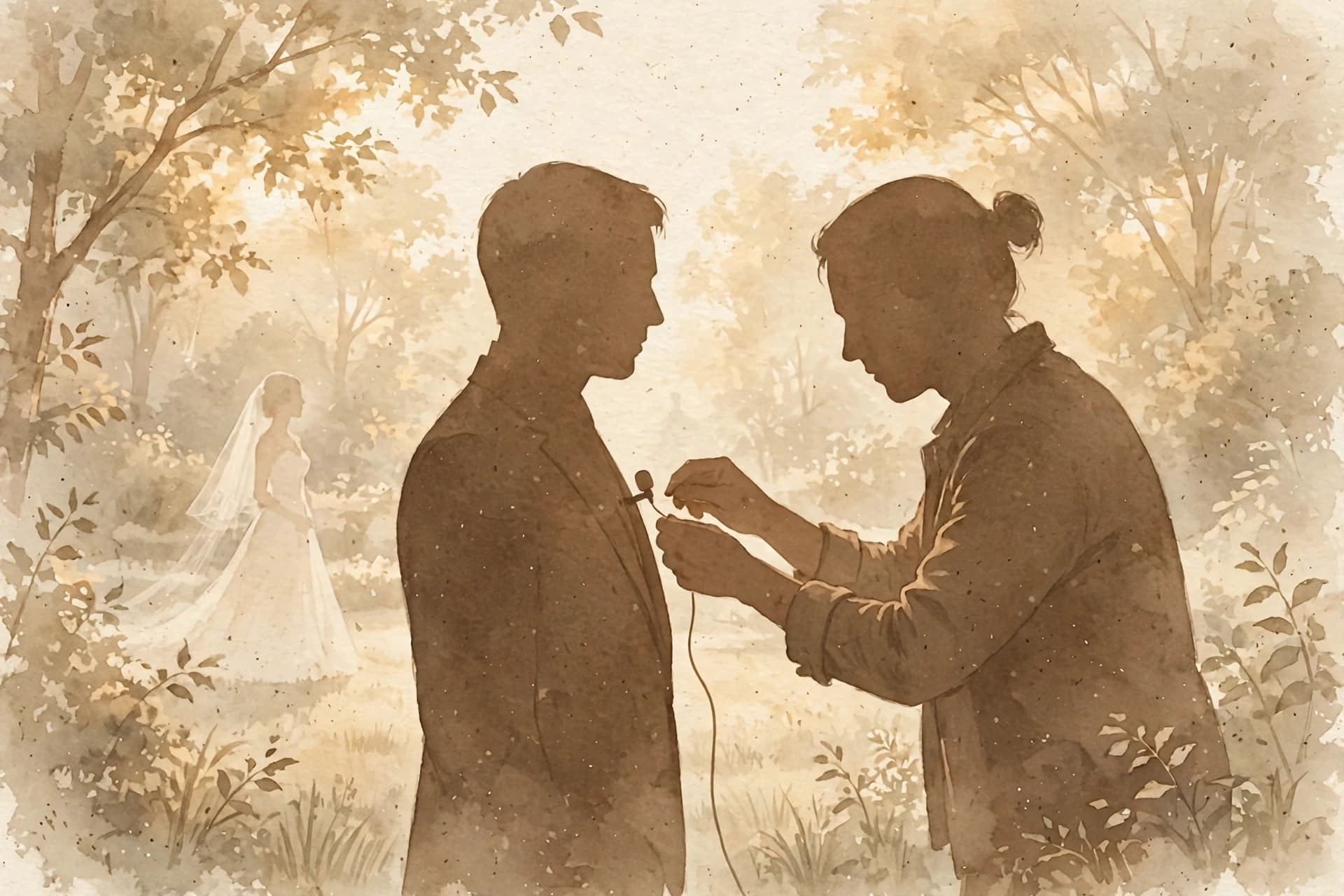
Reply from wherever the work is. Your office is a venue, a car and an editing desk. An inquiry answered from a system, the same day, in your words, beats a perfect reply written three days later from memory.
-
Book the date cleanly. A proposal, a contract signed from a secure link, and a retainer on a payment schedule should grow out of the inquiry, with the couple's names, date and venue typed once. I would add one photographer specific point: the contract is where delivery expectations belong, stated plainly, before the queue gets long.
-
Gather the day before the day. Who is in the family formals, and in what order. Which details matter most to the couple. Whether they want a first look, because that changes your whole timeline. A questionnaire the couple fills in once, in their own time, is worth more than a thread of small questions in the final week.
-
Run the day on one timeline. Your call times sit beside the videographer's, the planner's and the venue's. A timeline that only lives in your notes cannot warn anyone when the ceremony drifts, and it cannot tell your second shooter where to be at 4 PM.
-
Keep the delivery promise visible. Every booked gallery has a due date and a turnaround you quoted. Those dates belong on the event, next to the delivery links, so a couple checking in gets an answer and you get your editing evening back.

How does Gloam handle a photographer's shooting and editing season?
In Gloam, each wedding is an event, and the event carries the whole job. The couple's proposal, timeline and invoices live in their branded client portal, one place they can visit without emailing you, and the questionnaires you send feed the same event. A CRM for wedding photographers earns its keep when the booking, the day and the delivery all read from that same event, instead of from five different threads.
When a couple wants a call, your booking page offers your hours and syncs to Google Calendar with a Google Meet link. Couples sign your contract with an e-signature from a secure link, and Gloam keeps the signed PDF on the event. The payment schedule splits what they owe into installments with their own due dates, paid through Stripe, so the retainer and the balance never need a separate chasing tool.
The part I would show a photographer first is the deliverables record. On every event, Gloam keeps a Deliverables and Files card: the deliverables due date, the delivery turnaround you work to, and the file links for the finished work, whether the gallery lives in Pic-Time, ShootProof, Google Drive or Dropbox. It is a small thing that changes the editing season. Your queue stops being a feeling and becomes a list of dates you can see, and the "just checking in" emails have somewhere better to go: the portal the couple already has.
The day itself runs on the timeline built into the event. You build the day-of timeline in its own builder, where each item carries its time, its place and the vendor it belongs to, and you share it with a link. Each audience sees the view meant for them, and the couple or a vendor can approve what you shared, so the sign off is recorded instead of buried in a reply. On the day, a live mode marks what has actually started. For a photographer, that is the first look, the family formals and the send off, shared before anyone is guessing in a group thread.
How do automations help while you are shooting or editing?
Automations help a wedding photographer by sending the right message at the moment you cannot. In Gloam you build them in a visual builder, and the builder is included on the free plan. An inquiry gets a warm first reply in your voice while you are still shooting the first dance. Follow ups, questionnaire reminders and payment reminders send themselves, so no couple waits on your editing schedule.
That last one matters more than it sounds. A payment reminder that sends before each installment is due keeps the balance conversation out of the same thread as the gallery talk, and a follow up that goes out on its own rescues inquiries you would have answered three days late. WeddingPro's lead conversion guidance, updated in October 2026, recommends following up across the first 30 days, and reports couples are nearly 40 percent more likely to respond when you follow up on a consistent schedule, and 2.7 times more likely to reply when your message ends with an open-ended question.
Automations can also branch. A couple who booked full day coverage and a couple who booked an engagement session do not need the same rhythm of messages, and an automation can wait for a step to finish, like a signed contract, before it moves on. Glo AI helps with the words: it drafts replies you can edit and writes content for automated emails, so the first version is never a blank page at midnight. None of this makes the work less personal. It makes the personal parts, the call, the shoot, the edit, the ones you actually show up for.
What about Studio Ninja, the photographer's own tool?
Studio Ninja deserves its place here, because it was built for photographers and videographers, and its users praise its onboarding help and support. Its pricing page, checked on November 1, 2026, lists three plans: Starter at 16 US dollars a month for up to 5 active jobs, Pro at 27 dollars for unlimited jobs, and Master at 40 dollars for unlimited jobs and three brands.
Yearly billing lowers the price, to 160, 270 and 400 dollars a year, and new accounts start with a 7 day free trial with no credit card. The plan comparison table draws two lines that matter to a working photographer. Starter has no workflow automations and no online booking forms. And team access is counted in users: 1 on Starter, 3 on Pro and unlimited on Master. Its integrations lean photographic, with Pic-Time, ShootProof and Fundy Designer alongside Stripe, Gmail and Google Calendar.
HoneyBook is the other name photographers weigh. Its pricing page, checked on November 1, 2026, lists Starter at 29 US dollars a month billed yearly, Essentials at 49 dollars a month billed yearly, which adds automations, a scheduler and SMS reminders, and Premium at 109 dollars a month billed yearly. Card payments start at 2.9 percent plus 25 cents. HoneyBook also lists a Pic-Time integration, so galleries can connect to its client portal.
The honest difference is where each tool puts its free start, and what sits at its center.
Studio Ninja gives you a 7 day trial, then a paid plan. HoneyBook starts with a free trial on every plan, then a paid plan. Gloam starts free with 3 events that never expire, and its visual automation builder is on from that free plan, where Studio Ninja's automations start on Pro and HoneyBook's start on Essentials. Gloam's center is the client relationship around the work: leads and events, contracts and invoices, the portal, a shareable timeline, branching automations and the deliverables record on each event. Its pricing starts free, then Pro at 25 dollars a month, or 20 dollars a month billed yearly, with unlimited events and webhooks, and Studio at 40 dollars a month, or 35 dollars billed yearly.
One more difference matters if you shoot as a pair. Studio Ninja counts team access in users, and its site lists no dedicated second shooter feature. In Gloam, second shooter is a named role on the Studio plan: a second shooter sees only the events they are assigned to, across the whole season. Try each tool against one real wedding. The right one is the one that is still open when the edit queue gets long.
What should a wedding photographer do next?
Pick your next booked wedding and run it in one place, end to end. Put the inquiry, the proposal, the signed contract, the payment schedule, the questionnaire and the timeline on the same event, and set the gallery's deliverables due date while you are there. That single wedding will tell you more than any feature list, including this one.
Join the waitlist for Gloam and start that wedding on the free plan. Three events, no expiry, the automation builder, the portal and the deliverables record included. Less admin, more time for your craft, and a calmer editing season in front of you. That is what a CRM for wedding photographers should actually do.
Sources
-
The Knot, 2026 Real Weddings Study, couples married in 2025, retrieved November 1, 2026: 88 percent of couples hired a photographer, the average spend was 3,000 dollars and the median was 2,800 dollars, against an average wedding cost of 34,200 dollars.
-
WeddingPro, lead conversion guidance, updated October 2026 and retrieved November 1, 2026: about 1 in 2 couples expect a reply within 24 hours, most couples book the vendor who responds first, and up to 50 percent of all bookings go to the vendor that responds first; couples are nearly 40 percent more likely to respond with a consistent follow up schedule, and 2.7 times more likely to reply when a message ends with an open-ended question; couples reach out to seven vendors on average.
-
HoneyBook, Photographer Focus Study Q2 2026, published June 2026 and retrieved October 22, 2026: the median first response to an inquiry among surveyed photo and video pros was 75 minutes, and most pros wait until the end of the day to reply.
-
OurStoria, The Delivery Gap, published July 2026 and retrieved November 1, 2026: across 3,200 weddings surveyed from 2022 to 2025, couples receive their full photo gallery 18 days after the wedding on average, with sneak peeks arriving in about 3 days.
-
WeddingWire, How Long Does It Take to Get Your Wedding Photos Back, retrieved November 1, 2026: most photographers take four to six weeks to deliver a full gallery.
-
Studio Ninja pricing page, studioninja.co/pricing, checked November 1, 2026: Starter 16 US dollars a month, or 160 a year, for up to 5 active jobs, 1 user and 1 contact form; Pro 27 dollars a month, or 270 a year, for unlimited jobs and 3 users; Master 40 dollars a month, or 400 a year, for unlimited jobs, unlimited users and 3 brands; workflow automations and online booking forms are not included on Starter; a 7 day free trial with no credit card.
-
Studio Ninja homepage, studioninja.co, checked November 1, 2026: the tool is presented as helping photographers and videographers, with integrations including Pic-Time, ShootProof and Fundy Designer alongside Stripe, Gmail and Google Calendar.
-
HoneyBook pricing page, honeybook.com/pricing, checked November 1, 2026: Starter 29 US dollars a month billed yearly; Essentials 49 dollars a month billed yearly, which adds automations, a scheduler, SMS reminders and up to 2 team members; Premium 109 dollars a month billed yearly with unlimited team members; card payments from 2.9 percent plus 25 cents; a free trial on all plans; a Pic-Time integration listed.
-
Gloam app and this site's pricing and frequently asked questions, checked November 1, 2026: the branded client portal holding the proposal, timeline and invoices; e-signed contracts with the signed PDF kept on the event; booking pages syncing to Google Calendar with a Google Meet link; branching automations and Glo AI drafts.
-
Gloam app, checked November 1, 2026: the Deliverables and Files card on each event, with its due date, delivery turnaround and gallery, Drive and Dropbox links; the second shooter role that sees only assigned events; plan prices, the free plan that never expires with up to 3 events, 50 leads and 3 automations, and Studio team access for up to 15 members.
Frequently asked questions
Five things. It should answer inquiries while you are shooting or deep in an edit, turn a booking into a signed contract and a payment schedule without retyping, gather the shot list and family details in questionnaires the couple fills in once, keep the wedding day timeline where you and the other vendors can see it, and track each gallery's deliverables due date and delivery links on the event itself.